
Pixie Color: Paint by Number
Efun TeamBoard
4.8161.00 Reviews
- Version
- 2.6.7
- Installs
- 500.00K
- Age Rating
- Everyone
Screenshots
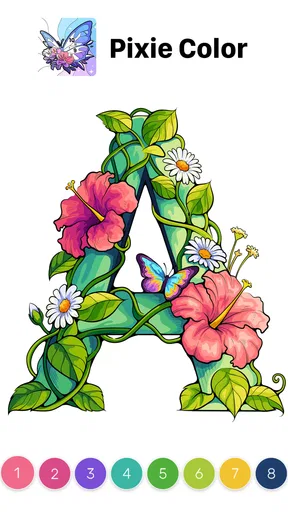
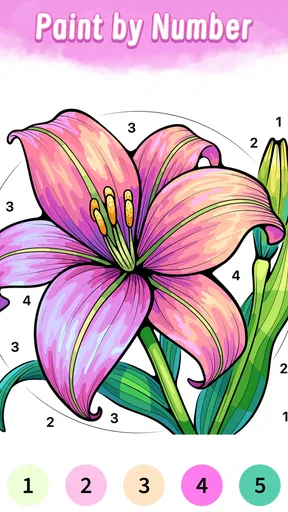
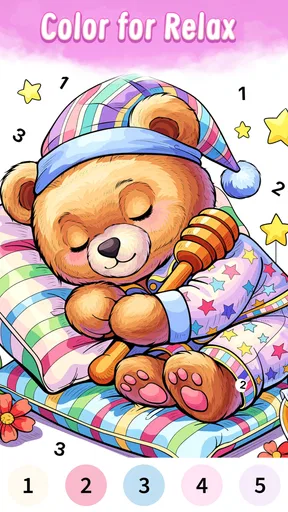
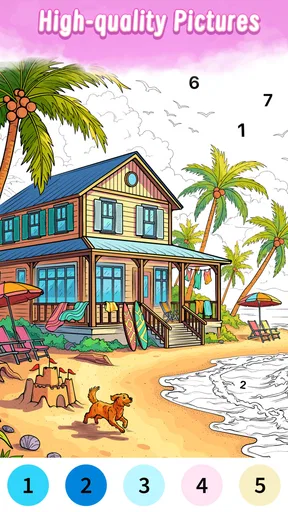
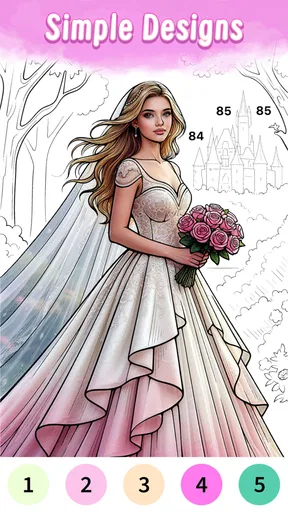
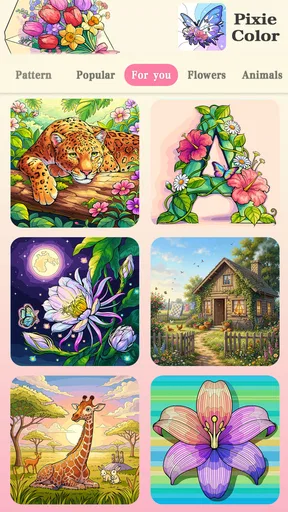


Our Review of Pixie Color: Paint by Number
 Analysis by Appyee
I usually think of paint-by-number games as simple distractions, but Pixie Color: Paint by Number works best when I treat it as a small, repeatable pause rather than a traditional game. Developed by Efun Team, this free board game focuses on filling numbered sections in pictures, with a calm pace that suits short breaks, quiet evenings, or moments when I want something gentle to do with my hands.
The main appeal is its verified focus on coloring for relaxation, including use by seniors and people looking for stress relief. That sounds modest, and it is, but the modesty is part of the experience. I am not managing a complicated board, racing a timer, or learning a deep ruleset. I am simply looking at a picture, finding the matching number, and gradually turning an unfinished outline into a complete image.
That narrow purpose makes it easy to understand, although it also means the game will not satisfy everyone. If you want strategy, competition, or a strong sense of progression, you may find the experience too light. If you want a low-pressure activity that can occupy ten quiet minutes without demanding much concentration, it has a more convincing case.
Why the paint-by-number format feels calming
The most important capability here is not the subject of the pictures; it is the way the numbered coloring process reduces the number of decisions I need to make. In a blank coloring book, I have to choose colors, decide where to begin, and accept that the result may not look the way I imagined. In a paint-by-number game, those choices are largely organized for me.
I can focus on one color or one numbered area at a time. That creates a useful rhythm: search, tap, fill, and move on. The rhythm is repetitive without being completely passive, which is why I find it more engaging than simply watching a video when I need a break. The finished picture also gives the session a clear endpoint, even if I only complete part of it.
The real benefit is reduced mental friction. I do not have to be artistic, and I do not need to remember rules. That makes the game approachable for someone who feels tired after work, for an older relative who prefers uncomplicated touch interactions, or for anyone who wants a quiet activity without the pressure of producing an original drawing.
It is worth being realistic about the word “relaxing.” Coloring can help create a calmer routine, but it is not a treatment for anxiety, insomnia, or any medical condition. I would use it as one small way to slow down, not as a replacement for professional care or a guaranteed solution to stress.
What the first session is like
The basic idea is immediately familiar. I choose a picture, look for numbered areas, and tap the color or number that corresponds to the section I want to complete. The appeal comes from the gradual visual change. A picture that begins as a collection of outlines becomes more recognizable as I work through it.
That simplicity is especially helpful when I do not want to spend time learning an interface. A board game with several menus, currencies, or complicated objectives can be enjoyable, but it asks me to think before I start. Pixie Color is better suited to the moment when I want to open something and begin almost at once.
I also like that the format supports different attention levels. I can work carefully through small sections when I want to concentrate, or make quick progress through larger areas when I am only half-focused. That flexibility makes it easier to fit into a daily routine than a game that expects a complete, uninterrupted session.
How I would use it in an everyday routine
Imagine coming home after a busy day with enough energy for a short activity but not enough patience for a competitive game. I would sit down for a few minutes, select an unfinished image, and work on a single color group. The goal would not be to finish the whole picture. It would be to create a small boundary between work and the rest of the evening.
Another practical use is during a waiting period when I want something more active than scrolling. Because the interaction is repetitive, I can stop after a short session without feeling that I have abandoned a complicated match. That makes it a better fit for fragmented time than many board games that depend on completing a round.
For seniors, the appeal may be the combination of visual matching and gentle hand interaction. The numbered structure provides guidance, while the coloring result offers a visible reward. I would still suggest checking whether the screen, text, and touch targets feel comfortable for the person using it, because a relaxing activity becomes frustrating if the interface requires too much squinting or overly precise tapping.
A useful way to avoid turning relaxation into a chore
My best tip is to stop treating every picture as an assignment. If I try to finish each one as quickly as possible, the calming quality can disappear and the game starts to feel like a checklist. I prefer choosing a small target, such as completing one color family or working until the image looks noticeably different.
A second useful habit is to switch between detailed and simpler-looking pictures when the game offers that choice. Detailed sections can be satisfying when I want focused attention, but they can feel tedious when I am already mentally tired. A less demanding image is often the better choice at the end of a long day.
I would also use the game with notifications and other distractions minimized on the device. The coloring itself cannot create a quiet environment if I am constantly interrupted. That is not a special feature of this title, but it changes how well its central capability works in practice.
Where it stands among other coloring and board games
Compared with a physical coloring book, Pixie Color is more convenient because I do not need pencils, a table, or a place to store unfinished pages. It also removes the uncertainty of choosing a palette. The trade-off is that digital coloring does not provide the same paper texture or the feeling of making marks with a real tool.
Compared with free-form drawing apps, it is much less demanding. I do not need to invent a composition or worry about whether my technique is good enough. That is a strength for relaxation, but a weakness for anyone who wants creative control. A drawing app is the better choice when the process of choosing colors and making mistakes is itself the main pleasure.
Compared with more traditional board games, the experience is intentionally limited. There is no reason to expect the planning, competition, or social interaction associated with chess, checkers, or card games. Those alternatives are better when I want to challenge another person or exercise strategic thinking. This game is closer to a guided coloring activity than to a board game in the conventional sense.
It also differs from puzzle games that use pressure, matching chains, or increasingly difficult stages. Those games can provide a stronger sense of achievement, but they may also keep my mind active when I am trying to wind down. Pixie Color makes more sense when the process matters more than winning.
The cost of the free starting point
The game is free to download, which makes it easy to try without committing money first. It includes in-app purchases ranging from $1.99 to $49.99 per item, so I would pay attention to the purchase flow if I were handing the device to a child or sharing it with a family member. The presence of optional purchases does not automatically ruin a relaxing game, but it can affect how comfortable the experience feels if I encounter repeated prompts or feel pushed toward paid content.
For me, the right approach would be to use the free experience first and decide whether it already provides enough variety and relaxation. I would not buy anything simply because I wanted to finish a picture quickly. The value depends on whether the available activity fits my routine, not on how many images I can complete in one sitting.
Small frustrations that matter
The same guided structure that makes the game accessible can become repetitive. After several sessions, I may want more control over colors, compositions, or the order in which areas are completed. If every action feels like locating the next number, the activity can lose its freshness.
There is also a difference between relaxation and mindless tapping. Some people will enjoy the visual focus, while others may find the repeated search for numbered spaces dull. I would not recommend it to someone who needs constant novelty or a meaningful challenge in every session.
Screen comfort matters as well. Coloring detailed areas for a long time can be tiring, especially on a small phone. I would keep sessions short, increase the device’s text or display size where possible, and avoid assuming that a calm game is automatically comfortable for every user. The best experience comes from treating it as a brief activity rather than an endless one.
Who is most likely to enjoy it
Pixie Color is a strong match for adults who want a simple way to occupy their hands while settling down, seniors who appreciate guided visual activities, and people who prefer peaceful solo games over competitive ones. It can also suit someone returning to mobile games after a long break, because the basic interaction does not require gaming experience.
Its Everyone content rating makes it broadly approachable for households, although I would still supervise purchases on a shared device. The game was released on September 27, 2024, and its current version is 2.6.7, with Android support starting at version 7.0. Those details make it accessible to many older Android phones, provided the device meets that system requirement.
The audience numbers suggest that the format has found a substantial group of interested players: it has passed 500K installs, with an average rating of 4.8 from around 8.3K ratings. I see that as encouraging, but I would not treat the rating as proof that everyone will enjoy it. People looking for a competitive board experience, original drawing tools, or a highly complex progression system should choose something else.
For me, the deciding question is simple: do I want to create something freely, or do I want a clear path that helps me relax? If I want freedom, I would open a drawing app or use physical supplies. If I want guidance with very little setup, this game is more suitable.
My final recommendation
Pixie Color: Paint by Number succeeds because it does not ask the player to do too much. Its numbered coloring capability turns a potentially intimidating creative task into a sequence of manageable touches, and that can make a real difference when I am tired, distracted, or simply looking for a quiet pause.
I would recommend trying it to anyone who wants a free, low-pressure board-style activity and is comfortable with the limits of the format. I would keep expectations grounded: it is not a strategic board game, a full drawing studio, or a substitute for serious stress support. Its best use is narrower and more practical—open it, choose a picture, complete a small section, and stop when the moment feels finished.
That focused purpose is also its main strength. When I need stimulation, I choose a puzzle or a competitive game. When I need a gentle routine with a visible result, this is where Pixie Color makes the stronger case.
Verdict
Strengths of Pixie Color: Paint by Number
- Simple paint-by-number controls make it easy for beginners to start.
- Many illustrations offer a relaxing activity for short or long sessions.
- Color suggestions help users find unfinished areas quickly.
- Completed artworks can be saved and shared with friends.
- Works well as a calming distraction during spare moments.
Limitations of Pixie Color: Paint by Number
- Some detailed pictures require considerable time to complete.
- Hints and extra tools may be limited unless rewards or ads are used.
- The large artwork library can feel repetitive after extended use.
- Small sections may be difficult to tap accurately on compact screens.
- Frequent promotional content can interrupt the coloring experience.
Other Releases by Efun Team
View All
Dress Color: Paint by Number
Board4.9
Similar Picks in This Category
View All
Ludo King®
Gametion4.1

Ludo
Yarsa Games4.6

Tile Master® - Matching Game
Higgs Studio3.6

Checkers Online
CC Games4.6

Dominoes
Loop Games4.7

Chess
Chess Prince4.6
Frequently Asked Questions
What is Pixie Color: Paint by Number?
Pixie Color: Paint by Number is a digital coloring app built around the paint-by-number format. It offers illustrated pictures divided into numbered sections, allowing you to select matching colors and complete each image step by step. The app is designed for casual relaxation and creative entertainment, with artwork covering themes such as animals, nature, characters, patterns, and other decorative subjects.
How does the coloring process work in Pixie Color?
After choosing an image, you tap areas marked with numbers and apply the corresponding color from the palette. The app generally helps you locate unfinished sections, which makes it suitable even if you do not have traditional drawing skills. You can zoom in for small details, move around the canvas, and continue unfinished pictures later, making the experience simple and accessible for short or longer sessions.
Is Pixie Color: Paint by Number free to download and use?
Pixie Color can typically be downloaded at no initial cost, but the available experience may include advertising, optional purchases, or premium content depending on the version and platform. Some illustrations or features may require watching an advertisement or subscribing before they become available. We recommend checking the app-store listing for current pricing, in-app purchase details, and any trial or renewal conditions before downloading.
Does Pixie Color require an internet connection?
An internet connection may be needed for downloading new artwork, displaying advertisements, synchronizing content, or accessing certain online features. Previously loaded pictures may still be available for offline coloring, although this can vary by device and app version. If you plan to use Pixie Color while traveling or without mobile data, open the app beforehand and download the images you want to complete.
Is Pixie Color suitable for children and younger users?
Pixie Color’s straightforward controls and numbered coloring system can make it appealing to children, teenagers, and adults. However, parents should review the app’s age rating, advertising, in-app purchases, and privacy information before allowing younger children to use it independently. Device parental controls may also be useful, particularly if the app includes external links, optional purchases, or advertisements aimed at broad audiences.
Play our best games!


